Astrbot Plugin MCStatus
v2.0.1 全新版本上线~
AstrBot Plugin - MCStatus
Author: 清蒸云鸭
预览
支持图标渲染、MOTD渲染、玩家查询等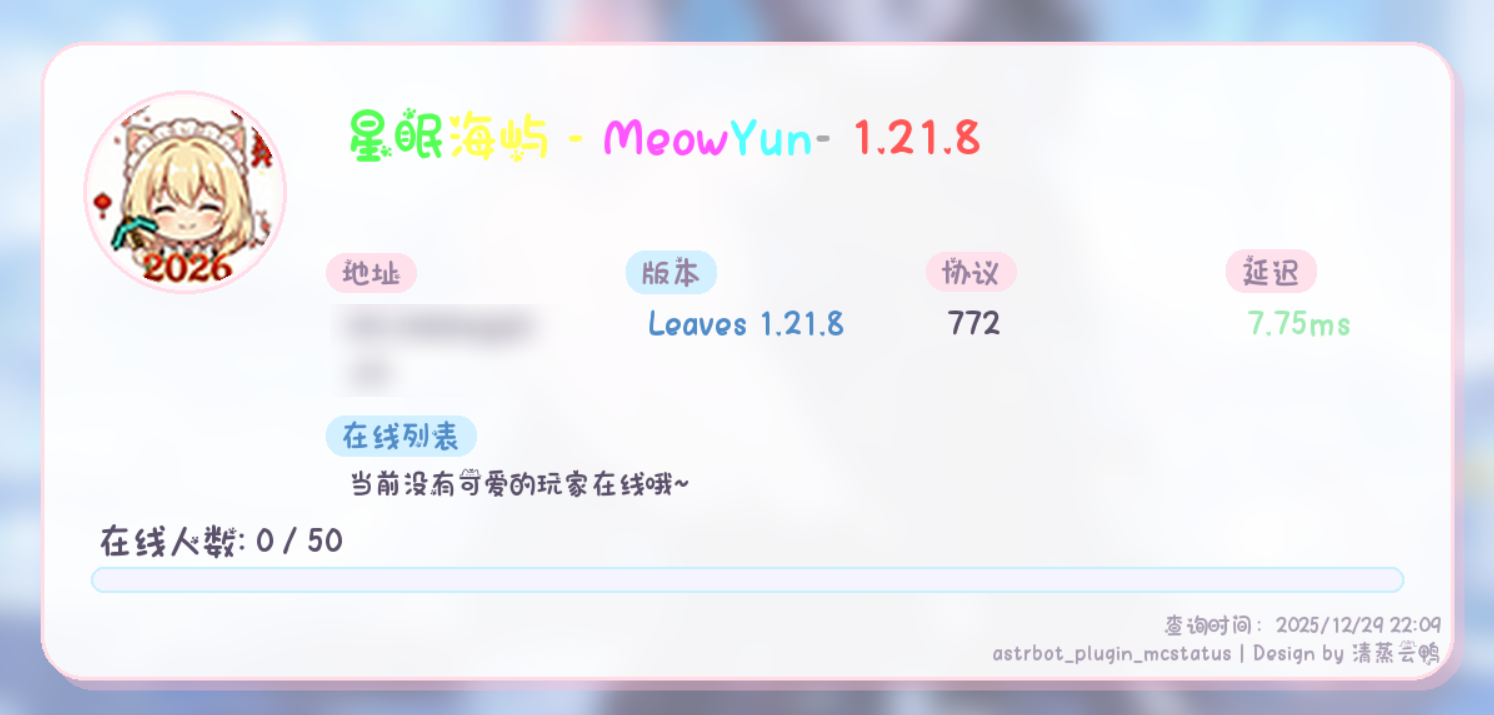
安装
自动安装
Astrbot插件市场搜索 mcstatus 即可自动下载
手动安装
- 方式一:直接下载:
点击右上角<>Code->Download Zip下载压缩包
打开Astrbot/data/plugins/下载本仓库文件,创建astrbot_plugins_mcstatus目录,解压所有文件到此目录即可 - 方式二:Git Clone方法
请确保系统已经安装git
打开目录Astrbot/data/plugins/,在此目录下启动终端执行:
# 全球/海外/港澳台
git clone https://github.com/WhiteCloudOL/astrbot_plugin_mcstatus.git

# 大陆地区#1
git clone https://gh-proxy.com/https://github.com/WhiteCloudOL/astrbot_plugin_mcstatus.git

# 大陆地区#2
git clone https://cdn.gh-proxy.com/https://github.com/WhiteCloudOL/astrbot_plugin_mcstatus.git
以上命令任选其一执行即可
- 完成后重启Astrbot即可载入插件
用法
/mcstatus help/motd/list/players/look/add/set/del/clear 插件主命令
推荐使用/mcstatus help获取帮助
插件命令别名可用mc状态 MC状态 mcs
例如/mcs motd mc.example.com
更新日志
v1.0.3
(2025/10/09)
- 新增主命令别名:mc状态、MC状态、mcs
- 查询结果新增玩家列表
v1.0.4
(2025/10/10)
- 添加SRV解析支持
v1.0.5
(2025/10/17)
- 修复:f-String错误导致的插件无法正常
v1.0.6
(2025/11/19)
- 修正:assess -> assets
- 群组黑白名单检查
- 移除draw命令
v2.0.0 / v2.0.1
(2025/12/29)
- 支持查询服务器图标
- 支持MOTD彩色渲染
- 大幅美化插件输出
- 添加了插件图标
TODO
❌分群存储
❌list分页查询